Barcode vs QR Code vs RFID for Asset Tracking
Choose between 1D barcode, QR code and RFID by scanner workflow, lookup method, audit process and standard catalog availability.
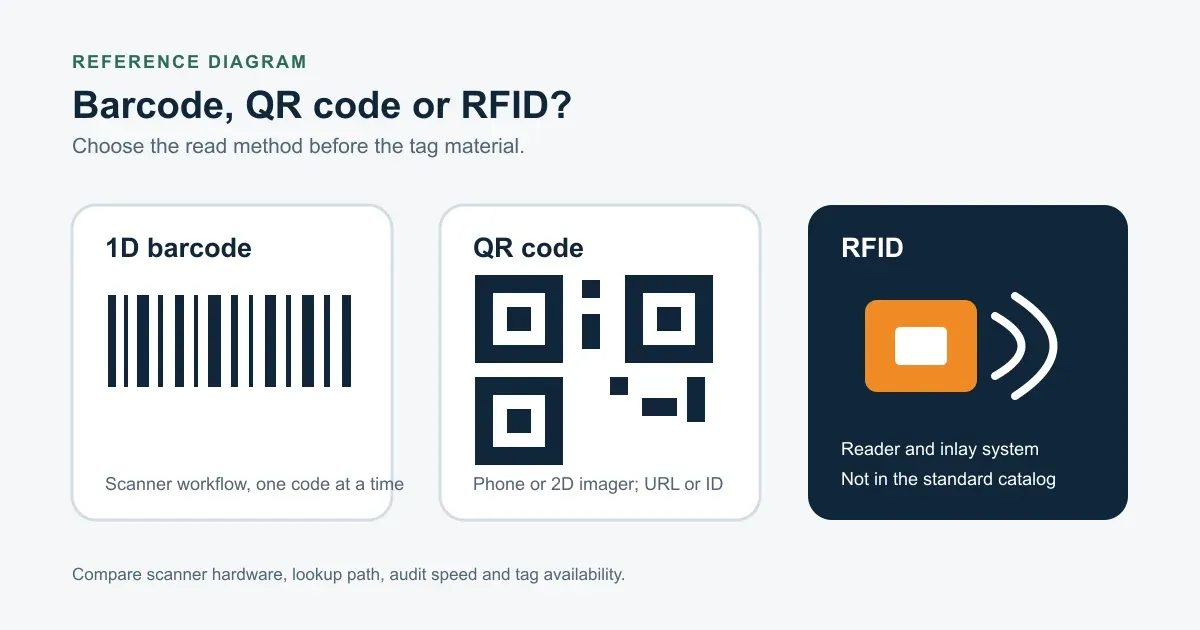
Choose the read method first. Material and mounting are separate decisions.
The current IronMarks standard catalog supports 1D barcodes, QR codes and visible serial numbers. RFID is not a listed standard Product, so this comparison includes it only to explain the workflow difference.
Side-by-side workflow comparison
| Option | How it is read | Typical payload | Audit pattern | What the setup needs |
|---|---|---|---|---|
| 1D barcode | Direct view with a compatible scanner | A short asset ID or record key | One visible code at a time | A defined symbology, scanner, viewing distance and enough width for the code |
| QR code | Direct view with a compatible phone camera or 2D imager | An ID, text string or URL | One visible code at a time | A final payload, access permissions, code size and readable contrast |
| RFID | Radio communication between an inlay and reader | An electronic identifier | One or more reads may be possible, depending on the system | RFID tags, readers, placement testing, software integration and an approved operating design |
RFID performance depends on the inlay, frequency, reader, placement and surrounding materials. A bulk-read goal is a system requirement, not a promise made by the word RFID alone.
Choose a barcode for an established scanner process
A 1D barcode fits teams that already scan assets at receiving, issue, return, maintenance or audit. Confirm the required symbology rather than assuming a default. The encoded value and the separately printed text should be stored in different spreadsheet columns.
The code needs enough width and quiet space for the selected data. Long values and small tag faces can conflict, so send the scanner requirement and actual data before approving the size.
The 0.5 x 1.5 in aluminum barcode asset tag is a current compact reference for a standard 1D barcode plus readable asset text. Its face is too small for the QR layout recorded in the current Product data, which is why code type must be settled before size.
Choose a QR code for phone or web-record access
A QR code can carry an asset ID or a complete URL. Use it when staff need a compatible phone or 2D imager to open an asset, service or support record.
Check the destination before production. A working code can still lead to the wrong page, a temporary address or a record that field staff cannot access. Keep a visible serial number beside the code when manual lookup matters.
Treat RFID as a separate system decision
RFID adds reader hardware, tag inlays, placement rules and software behavior. Those parts must be tested together in the operating environment. The current standard catalog does not list RFID, so an RFID project should not be inferred from the available custom asset tag Products.
If the workflow only needs direct scanning, compare barcode asset tags and QR code asset tags first. They map directly to the current catalog and proof process.
Pick material after the code workflow
The same code choice can appear on different Product materials. Use the asset tag materials guide to compare the surface, rigidity and mounting path after the scanner and payload are defined.
Send the code type, encoded values, printed fallback text, scanner or phone workflow, expected viewing distance, material, size and quantity through the request a quote page. The proof can confirm layout and data mapping; request a physical sample when the installed scan condition is uncertain.
Frequently asked questions
- Does IronMarks offer RFID asset tags in the standard catalog?
- No. The current standard catalog covers barcodes, QR codes and visible serial numbers. Do not design an RFID workflow around a standard Product listing that does not exist.
- Can the same material carry a barcode or QR code?
- Many current metal, aluminum and film Products support both barcode and QR code marking. The final code size and layout still depend on the selected Product, payload and scanner.
- Should a coded tag also show a readable number?
- Yes when manual lookup is part of the workflow. A short visible asset ID provides a fallback when the code cannot be scanned or the linked record cannot be opened.